
What Are Macros With N CNC Machining?
Macros with n cnc machining are not a machine option and not a CAM button. They are a way of writing a G-code program that reads variables, does arithmetic and makes decisions while the cycle runs. This page explains the mechanism, where it pays off, and where it does not.
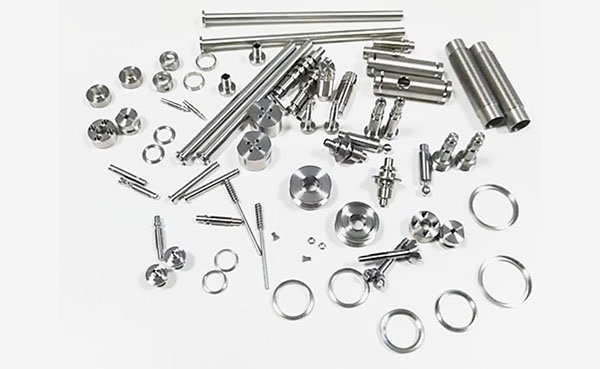
How macros with n cnc machining turn fixed blocks into variables
A plain program is a fixed list. Block N10 moves to X50.0, block N20 drills to Z-18.0, and the control repeats that every cycle. Change one hole diameter and somebody edits the file, re-posts it and proves it out again. Variable-based programming replaces those fixed numbers with addresses the control resolves at run time, so one file covers a range of parts.
Local variables #1 through #33 live only inside their own subroutine call. Common variables #100 to #149 and #500 to #531 keep their value after the cycle ends, which is why they hold tool wear offsets or running counters. System variables such as #3000 raise alarms and #4000-range addresses read active offsets. The operator passes values in with G65 P9010 A25.0 B12.0, where A and B map to #1 and #2.
Arithmetic is where the payoff starts. A bolt circle can be written once as X = #101 * COS[#102] and Y = #101 * SIN[#102], then looped through 360 degrees in whatever step the drawing calls for. Hole count, pitch, counterbore depth and corner radius all become inputs. For a 12-hole pattern on a Ø180 mm flange, that is 12 lines of trigonometry instead of 12 hand-written positions.
The control still executes ordinary motion. Macro statements sit between the G-code blocks and are resolved before each move. Nothing about the servo loop, the toolpath geometry or the tolerance changes. What changes is how the numbers got there.
IF-THEN, WHILE-DO and the branches they replace
Two control structures do most of the work. IF [condition] GOTO n jumps to a labeled block when the test is true. WHILE [condition] DO m ... END m repeats a block while the test stays true. GOTO and WHILE both need a matching END or a label, and both need a counter that changes, or the program loops forever.
A typical deep-hole cycle shows the pattern. WHILE [#103 LE #104] DO 1 pecks to depth, retracts, adds #105 to the depth counter and returns. #104 is the finished depth, #105 the peck increment. Operators can change peck size without touching the motion blocks. The same structure handles multiple passes on a hard material where one depth is too aggressive.
Conditional branches also carry error handling. IF [#3 GT #2] THEN #3000=1 (CHUCK NOT CLAMPED) stops the cycle before the spindle turns. IF [#4 EQ 0] THEN #3000=2 (INPUT MISSING) catches an operator who forgot a value. That is cheaper than scrapping a 6061 housing on the first pass because a diameter was left blank.
Logic lives in the program, not in the operator's head. That is the difference between a shop that runs lights-out on repeat work and one that needs someone standing at the panel.
Where the technique earns its keep on real parts
Families of parts are the classic case. A bracket with the same profile but four lengths, three hole patterns and two thicknesses can ship as one program with a lookup table. Machining a 200-piece run across those variants means one proven toolpath, one setup sheet and one program number to check. Programming time drops because nobody re-posts the geometry.
Probe-driven setup is the second strong case. A touch probe measures a rough casting, writes the stock offset into a common variable, and the macro shifts the toolpath to match. That removes the manual dial-in step on castings that vary by 1–2 mm. The same probe can verify a datum after the cycle and flag a broken tool before the next part starts.
Repetitive geometry is the third case. Bolt circles, slot arrays, face grooves, thread milling with a single-point tool, and radius blending on a corner all become loop bodies. A 24-cavity plate with the same pocket repeated in a grid is a strong fit. So is a single-point thread mill where the pitch, major diameter and depth change between jobs.
Tool life management is the fourth. A counter variable tracks parts per insert. When the count hits the limit, the program calls the next offset in the tool table and resets the counter. On a 10,000-part run in 303 stainless, that keeps insert changes predictable and stops a worn edge from drifting the finish past Ra 1.6 μm.
When a macro is the wrong tool for the job
Free-form surfaces are not macro work. Contour milling a turbine blade or an organic housing shape needs CAM output with thousands of small linear moves. Writing that by hand in macro form is slower to author, harder to verify and offers no benefit. Use the right output for the geometry.
One-off parts rarely justify the effort. If a job runs once and never repeats, a posted program is done in minutes. A macro takes longer to write, needs its own prove-out and only pays back on the second or third run. The break-even sits somewhere around three to five repeats for a simple variable set.
Controls differ. Fanuc Macro B, Haas macros, Siemens R-parameters and Heidenhain Q-parameters are not interchangeable. A program built for one family will not load on another without a rewrite. Shops running mixed machine brands either standardize on one control family or keep separate versions of the same routine.
Macros also hide geometry. An operator reading a variable-driven program cannot see the toolpath from the code. That is fine on a proven routine and risky on a new one. Keep a setup sheet with the input values, the expected cycle time and the first-article dimensions, and prove out a new macro on a scrap blank before it touches a real part.
Fixed program vs macro program at a glance
Use this to decide which approach fits a given job.
| Factor | Fixed posted program | Macro program |
|---|---|---|
| Best fit | One-off and low-repeat parts | Families and repeated features |
| Authoring time | Minutes from CAM | Longer, with prove-out |
| Change a dimension | Edit and re-post the file | Change one variable |
| Probe integration | Manual offset entry | Offset written by the probe |
| Tool life tracking | Operator judgment | Counter variable per insert |
| Error handling | Operator catches it | IF-THEN alarms stop the cycle |
| Control portability | High across brands | Low, control family specific |
| Readability on the floor | Toolpath visible in code | Geometry hidden in variables |
Pick by repeat count, not by preference
If a part runs once or twice, post it and cut it. If the same geometry repeats three or more times with dimensional changes, write the routine once and drive it with variables.
Common questions
Do macros with n cnc machining change the tolerance a machine can hold?
No. The control still executes the same motion blocks, so the machine capability is unchanged. Our 5-axis centers hold ±0.005 mm (±0.0002 in) whether the numbers come from a posted file or a variable routine.
What changes is consistency. A macro applies the same input value to every part in the run, which removes the small variation that comes from an operator re-entering an offset by hand.
Which CNC controls support macro programming?
Fanuc Macro B is the most widely used, and Haas, Mitsubishi and many Okuma controls follow a similar syntax. Siemens uses R-parameters with its own branch and loop statements. Heidenhain uses Q-parameters in conversational format.
Code is not portable between families. A routine written for Macro B will not run on a Siemens control without rewriting the variable references and the logic statements.
Can a macro read a probe and adjust the toolpath?
Yes. A touch probe writes the measured position into a common variable, and the program uses that value to shift the work offset or scale the toolpath. This is common on castings and forgings where stock varies by 1–2 mm.
The probe can also verify a datum after the cycle or detect a broken tool by checking that a known surface is still where it should be.
How much programming time does a macro actually save?
On a family of five similar parts, a single variable routine often replaces five separate posted programs. The saving is real on the second and later variants.
On a one-off part the macro takes longer, because it needs its own prove-out before it cuts metal. There is no fixed rule; count the repeats first.
Are macros safe to run unattended?
They can be, if the routine includes input validation and alarm traps. A macro that checks every required variable and stops on a missing value is safer than a posted program with no checks at all.
A new routine should still be proved on a scrap blank. Variable logic can hide a wrong sign or a missing counter, and that kind of error shows up on the first real part.
Can you quote a job that needs a macro-driven process?
Yes. Send the drawing and the variant list, and we will return a quotation with a free DFM analysis within 12 hours. Production can start within 24 hours once the process is agreed.
GreatLight runs 127 high-precision CNC machines, including 16 simultaneous 5-axis centers, with no minimum order quantity from one prototype to 10,000+ part runs.
Send the drawing, get a quote in 12 hours
Upload your part files and we will review the geometry, the repeat count and the best process route before quoting.
12-hour quote100% inspectionNo minimum order quantity
More machining notes
We publish setup notes, tooling trials and inspection data from the factory floor.











