
Can LaserWeb Run CNC Machine?
LaserWeb is a browser-based G-code sender. It does not turn a spindle or move an axis by itself. This page explains how it talks to a controller board, which boards actually work, and where the setup breaks down. Written for operators, makers, and workshop owners who want to judge fit before wiring anything.
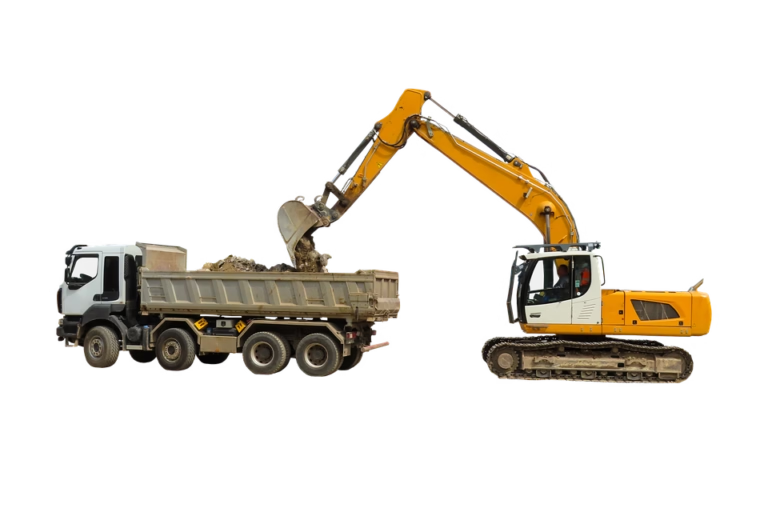
What LaserWeb actually does in a laserweb run cnc machine setup
LaserWeb is host software. It runs in a browser, reads a G-code file, and streams that file line by line to a controller board over a serial or network link. The board is what generates step and direction pulses, reads limit switches, and drives the spindle or laser output. If you are asking whether LaserWeb can run a CNC machine, the honest answer is that it can only run the controller, and the controller runs the machine.
That split matters when something goes wrong. A stopped cut, a skipped line, or a spindle that never spins is nearly always a controller or firmware problem, not a browser problem. LaserWeb shows you the toolpath and sends the words. The board decides what those words mean in motor steps.
The software started as a laser cutter front end. Its G-code parser and job planner were built around low-force, high-speed motion with a single on/off tool signal. A milling spindle behaves differently. It has to reach a set speed before the first cut, hold torque under load, and stop cleanly at the end of a job. Those needs show up as firmware settings, not as buttons in the LaserWeb window.
One more boundary. LaserWeb sends commands; it does not close the loop. Unless your controller has encoders wired back to it, there is no real-time position feedback. The machine trusts that every step pulse moved the axis. On a hobby router that is usually fine. On a machine cutting steel, lost steps go unnoticed until the part is scrap.
Which controller boards work with LaserWeb
Compatibility comes down to one thing: does the board accept the command set and serial protocol that LaserWeb speaks. Grbl is the most common match. A stock Arduino Uno running Grbl 1.1 on a CNC Shield v3 will connect, home, jog, and run a job with no extra work. Grbl has a small command set, and LaserWeb stays inside it.
Smoothieware on an Ultimachine Smoothieboard is the second common pairing. It handles more axes and higher step rates, which helps on machines with fast rapids. Expect to check the serial baud rate and the firmware's supported G-code list before the first run. Smoothieware accepts most standard motion commands but not every LaserWeb output mode.
Duet boards running RepRap firmware are also used, usually over the network rather than USB. This removes the cable but adds a web interface layer that can conflict with LaserWeb's own connection handling. Pick one host at a time. Running two senders against one board is a reliable way to jam the serial buffer.
Mach3 and Mach4 are a different story. They are not drop-in partners. Making LaserWeb drive a Mach3-controlled machine needs a plugin or an intermediate layer, and the result is fragile. If a shop already runs Mach3, the practical move is to keep Mach3 as the sender and use LaserWeb only for previewing toolpaths.
- 1Grbl 1.1Closest match. Works on Arduino Uno plus CNC Shield v3 with no plugin.
- 2SmoothiewareGood for more axes and faster rapids. Verify baud rate first.
- 3Duet / RepRapNetwork link works, but do not run two senders at once.
- 4Mach3 / Mach4Needs a plugin. Fragile. Keep the existing sender instead.
Setup steps that decide whether the job runs
The order of setup matters more than the settings themselves. Flash the firmware first, then set the steps per millimeter, then tune acceleration and max rate, and only then connect LaserWeb. Skipping ahead to the browser window means you will be hunting two problems at once when the first cut goes wrong.
Steps per millimeter is the number that maps one commanded millimeter to motor pulses. Get it from your belt pitch, pulley tooth count, and microstep setting, or measure it: command a 100 mm move on each axis, measure the real travel with calipers, and scale the value. A 2 percent error over a 300 mm part is 6 mm of drift, and no sender setting can fix that.
Feedrate and spindle settings are the second trap. In Grbl, the maximum rate is set by firmware parameters, not by the G-code file. If the file asks for 3,000 mm/min and the board caps at 1,200 mm/min, the run is slower than planned but safe. If the board is told it can do 6,000 mm/min and the motor stalls at 2,500, you lose steps and the rest of the job is offset.
Hold and resume behavior is worth testing before a real part. Pause a dry run, jog the machine, then resume. If the board does not lock position during the pause, the resume point will be wrong. This is a firmware buffer question, and it is the most common reason a paused job ruins a part.
- 1Flash firstMatch firmware version to the board before opening the browser.
- 2Calibrate travelCommand 100 mm, measure, scale steps per mm.
- 3Cap the max rateSet firmware limits below the point where motors stall.
- 4Test pause and resumeDo it on a dry run, not on a finished part.
Where LaserWeb stops being the right tool
There is a clear size and force boundary. LaserWeb is comfortable on light machines: a 300 mm desktop router, a small three-axis mill, a laser cutter, a foam or plywood machine. Those machines cut soft material with modest force and rarely lose steps. The software's job planning is built for that world.
Move up to cutting aluminum plate on a 4,000 mm gantry machine and the picture changes. Cutting forces rise, step loss becomes likely, and the toolpath needs feed optimization that a simple sender does not provide. You also want spindle load monitoring and tool wear tracking. None of that lives in LaserWeb.
Closed-loop control is the second boundary. Real position feedback needs encoders and a controller that reads them. That combination is rare on hobby boards and common on industrial controls. If your part tolerance is tight, the machine needs a control that knows where the axis actually is, not where it was told to go.
Then there is the workflow question. LaserWeb has no tool library, no stock model, no in-process probing, and no inspection record. For a one-off bracket, that is fine. For a production run where each part is measured and logged, you need CAM plus a machine control plus a quality record. Three separate jobs, three separate tools.
A safe first job on LaserWeb
- 1Confirm the connectionOpen the serial port, check the firmware banner, and read back the current settings. Do not send motion yet.
- 2Home and set zeroHome all axes, then set work zero at the corner you will program from. Write the offset down.
- 3Air-cut the first passRaise Z by 20 mm and run the full file. Watch for skipped lines and unexpected rapids.
- 4Test the pauseStop mid-file, jog 5 mm away, resume. Confirm the tool returns to the same point.
- 5Cut a scrap blankUse the same material and thickness. Measure the first feature before running the rest.
- 6Log the settingsRecord steps per mm, max rate, and feedrate. These are your baseline for the next job.
Controller board fit for LaserWeb
Board, firmware, and what to expect on a real machine
| Board / firmware | Connection | Typical machine | Watch out for |
|---|---|---|---|
| Arduino Uno + CNC Shield v3, Grbl 1.1 | USB serial | Small router, 3-axis mill | Small buffer, keep jobs short |
| Smoothieboard, Smoothieware | USB serial | Faster routers, 4-5 axis | Check baud rate and command list |
| Duet, RepRap firmware | Network | Enclosed machines, remote jog | Do not run two host senders |
| LinuxCNC-compatible PC | Parallel / Mesa card | Retrofit mills and lathes | LaserWeb is not the real sender |
| Mach3 / Mach4 PC | Parallel / Ethernet | Legacy mills | Needs a plugin, not reliable |
| Proprietary sealed controller | Vendor only | Turnkey routers | No open protocol, no LaserWeb |
The verdict on LaserWeb for CNC work
If you run a light 3-axis machine on Grbl and cut wood, plastic, or thin aluminum, LaserWeb is a workable sender. If you cut steel, hold tight tolerances, or need closed-loop feedback and inspection records, use a dedicated machine control and keep LaserWeb out of the loop.
Questions that come up after the first run
Does LaserWeb replace the controller board?
No. LaserWeb is host software that streams G-code. The board holds the firmware, generates step and direction pulses, and reads the switches.
You can swap senders without touching the board, but you cannot swap the board and expect the sender to cover for it.
Can LaserWeb control the spindle speed?
It can send the speed command if the board supports spindle output and the wiring reaches a VFD or speed control input. The board has to translate the command into a voltage or PWM signal.
If the spindle is manual, the command goes nowhere. Set speed by hand and leave the S word out of the file.
Why does the job stop near the end of the file?
A common cause is a serial buffer or timing problem on cheap USB adapters, especially on long cables. Electrical noise from a spindle or VFD can also break the link.
Shorten the cable, move it away from power wiring, and try a different adapter before blaming the file.
Can I resume after a power loss?
Only if you planned for it. The board loses position when power drops, and most hobby firmware has no recovery routine.
Without a UPS or a loss-recovery feature, the safe move is to re-home, reset zero, and restart the file from the beginning.
Is LaserWeb fast enough for production?
It streams fine for small batches and prototyping. The bottleneck is usually the board buffer and the machine, not the browser.
For repeat production runs, a controller with on-board storage that runs the file without a host PC is the better setup.
Need machined parts without the controller guesswork
Send your drawings and we will run a free DFM analysis within 12 hours. Tolerances to ±0.005 mm, no minimum order quantity, and 100% inspection before shipment.
12-hour quote±0.005 mm100% inspectionNo MOQ
More from the shop floor
We publish setup notes, tooling trials and inspection data from the factory floor.











