
Can Linux Run a CNC Machine?
Yes, and it has been doing it for years on mills, lathes and routers. This page covers which control software runs on Linux, which hardware talks to it, and which jobs are better left on a commercial controller. Written for engineers and shop owners choosing a control platform.
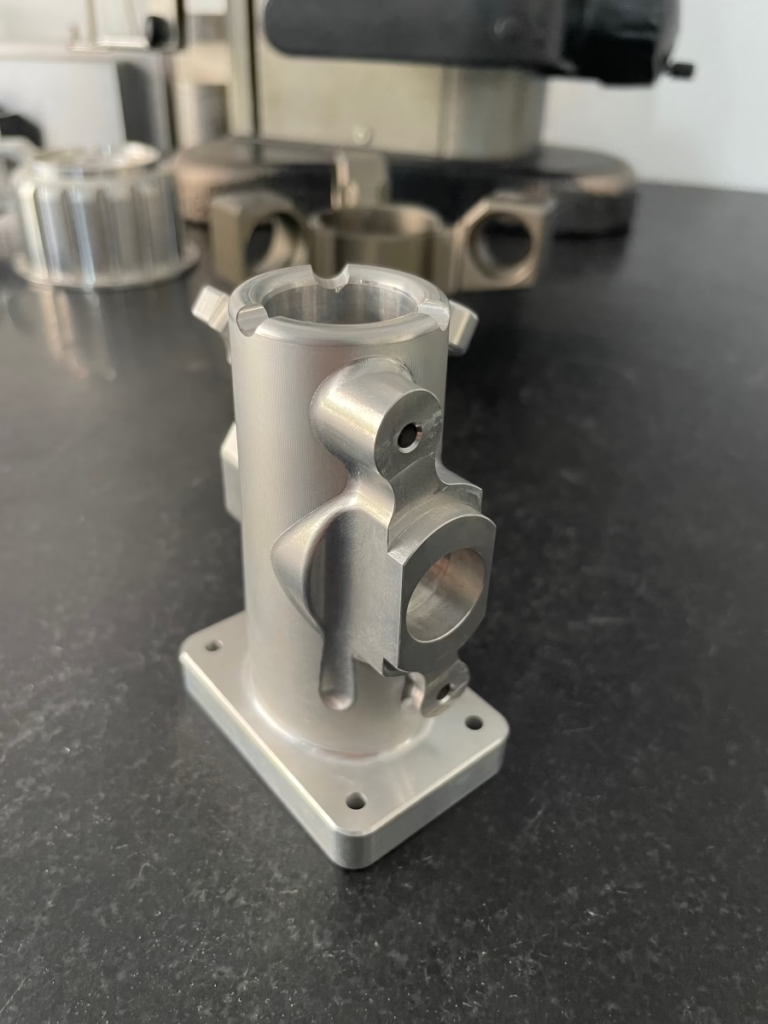
What Runs on Linux, and What Does Not
A short map of the stack before the details.
LinuxCNC Is the Reference Stack
LinuxCNC is the open-source motion controller that most people mean when they ask whether a Linux PC can run CNC equipment. It reads G-code, closes the position loop, and drives step-and-direction or analog servo hardware. It runs on a patched Linux kernel with real-time scheduling, so the motion thread does not get interrupted by disk or network activity.
The project started as EMC2 and is still maintained by a volunteer group. It supports milling, turning, plasma, and router configurations. A lathe with threading needs spindle index feedback; a mill with tool changes needs a carousel or umbrella logic file. Both are standard configuration work, not new code.
Configuration lives in text files. You describe the machine geometry, the joint limits, and the pin mapping in plain INI and HAL syntax. That is a real advantage for a one-off machine, and a real cost for a shop that wants a vendor hotline at 2 a.m.
Latency is the number that decides whether the setup works. Run the latency test on the target PC before buying anything. A machine with a 1 kHz servo update needs a worst-case latency well under 100 μs, and most modern desktop boards manage that once you disable power management in BIOS.
Which Hardware Layer to Pair With It
A LinuxCNC installation is only as good as the interface card between the PC and the drives. Three options cover almost every machine. The choice comes down to axis count, servo type, and how much wiring you want to do.
Parallel-port breakout boards are the cheapest path and still work for three-axis stepper routers. They are limited to a few hundred kilohertz of step rate and no feedback. Fine for hobby builds, weak for production.
Mesa FPGA cards are the mainstream choice. Cards such as the 5i25, 6i25, 7i76 and 7i96 handle step generation, encoder counting, and isolated I/O in hardware, so the PC only has to run the trajectory planner. You get 1–4 MHz step rates and enough encoder inputs for a full closed-loop mill.
EtherCAT drives move the loop into the servo amplifier. LinuxCNC has an EtherCAT master, and vendors such as Beckhoff, Omron, and Leadshine supply compatible drives. One cable daisy-chains the whole machine, and wiring shrinks a lot. The trade-off is drive cost and a steeper setup path.
Analog ±10 V servo interfaces suit older machines with velocity-mode amplifiers. You keep the existing drives and retrofit only the control. Expect to tune the PID yourself, and budget time for it.
Interface Options at a Glance
Pick the row that matches your drive type and axis count.
| Interface | Best for | Step rate / feedback | Main drawback |
|---|---|---|---|
| Parallel port breakout | 3-axis stepper routers, hobby builds | Up to ~300 kHz, open loop | No encoder feedback, limited I/O |
| Mesa FPGA card | Mills and lathes with encoders | 1–4 MHz, full encoder input | Needs a PCI or PCIe slot |
| EtherCAT drives | Multi-axis machines, new builds | Drive-side loop, daisy chain | Higher drive cost, complex bring-up |
| Analog ±10 V | Retrofits of older servo machines | Velocity mode, encoder to PC | PID tuning is on you |
Where Linux Is the Wrong Answer
LinuxCNC earns its place on retrofits, one-off machines, and shops that want full control of the control. It is a poor fit in a few common situations, and it is worth saying so plainly.
If your machinists are trained on a Fanuc or Siemens panel, switching to a Linux front end will cost you weeks of productivity. The G-code is the same, but the tool table, offsets, and alarm handling are not. Training time is real money.
Safety-rated functions are the other hard limit. A commercial controller ships with certified safe-torque-off, safe stop, and door interlock logic already validated. On LinuxCNC you build that layer yourself with safety relays and a certified safety PLC. If the machine falls under a machinery directive audit, that work is not optional.
Production shops that need a vendor on the phone within an hour should weigh the support model. Community forums are fast and generous, but they are not a contract.
None of this rules out Linux for the parts we machine at GreatLight. We run commercial controllers on our 127 CNC machines for repeatability and audit trails, and we machine LinuxCNC-designed parts every week. The control platform does not change the geometry that arrives at the spindle.
Common Questions
Do I need a real-time kernel for CNC?
Yes, if the PC closes the position loop. Standard Linux scheduling can delay a motion thread by milliseconds, which shows up as chatter or lost steps. The LinuxCNC distribution ships with an RT-patched kernel already configured.
If the loop closes inside the servo drive over EtherCAT, the PC only sends setpoints and timing pressure drops sharply.
Can I run LinuxCNC on a laptop?
Usually not well. Laptops hide power management and thermal throttling behind firmware you cannot fully disable, and worst-case latency often lands in the hundreds of microseconds.
A used desktop with a discrete Mesa card is cheaper than the time you will spend chasing jitter.
Does LinuxCNC support tool changers and probing?
Yes. Tool changers are handled through a HAL logic component or a small Python remap, and both carousel and umbrella types are common.
Probing works with standard G31 moves and touch probes. Renishaw-style probes need the usual interface module, the same as on any other control.
Is G-code portable between LinuxCNC and Fanuc?
Basic motion, canned cycles, and tool changes port cleanly. The differences sit in subprogram syntax, macro variables, and some canned cycle details.
Post-processor changes are usually a day of work per CAM setup, not a rewrite.
What about Mach4 or other controllers on Linux?
Mach4 is a Windows product. Running it under Wine is not a supported path and real-time behaviour is not guaranteed.
If you want Linux and a commercial-feel GUI, look at LinuxCNC front ends such as QtDragon or GMOCCAPY, or at industrial Linux controls from vendors like Beckhoff.
Does the control choice affect the tolerance I can hold?
Indirectly. The control sets following error and how well the machine tracks a contour, but rigidity, thermal drift, and tool runout dominate.
At GreatLight we hold ±0.005 mm on production parts with commercial controls and 100% inspection. A well-tuned LinuxCNC retrofit on a rigid machine can reach the same range.
Send Us the Drawing, Not the Controller Question
Upload a STEP file and we return a quote with a free DFM analysis within 12 hours. No minimum order quantity, from one prototype to 10,000+ parts.
12-hour quote100% inspectionNDA on request±0.005 mm









