
What Is a G49 in CNC Machine Control?
G49 cancels tool length compensation. It tells the control to stop applying the active H offset, so the Z axis returns to the machine reference instead of the tool tip position. This page explains the mechanism, the boundary conditions, and when calling it is the right move versus when it causes a crash.
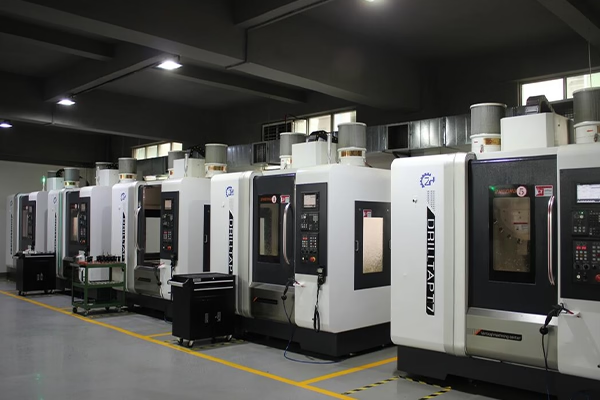
How G49 Cancels Tool Length Compensation
Tool length compensation exists because a tool holder plus a cutter has a physical length that changes with every tool change. One tool may stick out 85 mm from the spindle gauge line, the next 142 mm. Writing raw machine Z coordinates for every tool would mean recalculating every Z move by hand. G43 and G44 solve that by applying an offset, and the H address selects which stored value to use.
G49 is the cancel command. When the control reads it, the currently active length offset drops to zero and Z coordinates revert to machine reference values. No motion happens on the line itself. The change takes effect on the next Z move, which is exactly where careless code turns into a crash.
That distinction matters on the shop floor. Programmers think of G49 as a housekeeping word, but the machine treats it as a coordinate system change. The distance between the old and new Z reference equals the H value that was active. On a 150 mm gauge-length holder, that is a 150 mm shift waiting to happen.
A simple rule keeps this safe: retract to a safe Z height first, then cancel. Never cancel at cutting depth.
- 1G43Applies positive tool length offset with an H address.
- 2G44Applies negative offset; used mainly on older controls.
- 3G49Cancels any active length offset; no motion by itself.
- 4H addressSelects the stored offset value that G49 removes.
Where G49 Sits in a Production Program
A typical tool change block looks like this: T05 M06, then G43 H05 Z100.0, then the cutting moves, then G49 and M09 at the end of the operation. The G49 line usually pairs with spindle stop and coolant off. It marks the boundary between one tool and the next.
Some programmers omit G49 entirely and let the next G43 H address overwrite the old offset. That works on most Fanuc-style controls because a new length compensation call replaces the previous one. It fails in two cases. First, when the operation ends with a manual retract or a pallet change. Second, when a subprogram is called and the modal state must be predictable.
Modal state is the real reason G49 exists. The control remembers the last compensation mode until something changes it. If a subprogram assumes no offset is active and the parent program left G43 live, every Z value inside that subprogram is wrong by the tool length. The error can be 20 mm or 200 mm.
In our own five-axis cells, we keep G49 explicit at the end of every tool block. It costs one line of code and removes an entire class of setup mistakes.
G49 at Tool Change and Reference Return Positions
Many machine builders write a tool change macro that begins with G49, then G91 G28 Z0, then the M06. The order matters. Cancelling first means the Z home move is measured from the machine reference, not from a compensated tool tip. The operator can predict where the spindle will stop.
If the order is reversed, the Z home move carries the active offset with it. On a machine with a 4,000 mm X travel and a tall column, an unexpected 150 mm of extra travel can trip a soft overtravel alarm. The alarm is annoying. A collision with a fixture is not.
Reference return and G49 also interact on machines that use absolute encoders. After a power interruption, the control may not know the current offset state. Calling G49 before the first G43 in a restart block puts the machine in a known condition. We treat that as standard practice for restart procedures.
The same logic applies to bar pullers, pallet changers and any automatic door motion that runs on Z.
When Calling G49 Is the Wrong Move
G49 is not a safety command in the sense that it stops the machine. It only changes a reference. If the operator calls it mid-cut, the next Z move jumps by the offset distance. On a finishing pass at Ra 0.8–1.6 μm, that jump either snaps the cutter or scrapes the wall.
There is also a family of controls where G49 combined with a canned cycle behaves differently. On some older controls, cancelling length compensation inside a G81 to G89 cycle requires a G80 first. Skipping G80 leaves the cycle modal and the cancel produces an alarm rather than an error in position.
Lathe controls are a separate case. Many turning centers use G49 for a different purpose in the tool offset table, and the code is not interchangeable with milling code. Always check the machine manual for the control model in front of you.
The practical boundary is simple. G49 belongs at the end of a tool block, at a retract position, or inside a restart routine. It does not belong anywhere near a cutting move.
- 1Do call itAfter retract, before tool change, in restart blocks.
- 2Do not call itMid-cut, inside a live canned cycle, at depth.
- 3Check the manualLathe and older controls define G49 differently.
G49, G43 and G44 Compared
Use this table to decide which compensation call belongs in a given block.
| Code | What it does | Typical position in program | Risk if misused |
|---|---|---|---|
| G49 | Cancels active length offset | End of tool block, restart block | Z jump equal to H value |
| G43 H__ | Applies positive length offset | First Z move after tool change | Wrong H value cuts air or crashes |
| G44 H__ | Applies negative length offset | Older controls, rare in milling | Sign error doubles the offset |
| G80 | Cancels canned cycle | Before G49 if a cycle is active | Alarm or unexpected motion |
| G91 G28 Z0 | Returns Z to reference incrementally | After G49 in tool change macro | Overtravel if offset still live |
The Short Answer
Call G49 whenever you need the control to forget the current tool length offset. Write it after a retract and before any home move or tool change. Skip it when a new G43 already overwrites the old value and the operation never leaves the cutting zone. If your parts need tight Z control with documented inspection, send us the drawing.
G49 Questions Engineers Ask
Does G49 move the machine?
No. The line itself produces no motion. It changes the active offset to zero, so the next Z command is interpreted from the machine reference.
The apparent movement you see comes from that next move, and its size equals the H value that was active.
Is G49 the same as G40?
No. G40 cancels cutter radius compensation in the X and Y plane. G49 cancels tool length compensation on Z.
Both are cancel commands, but they act on different offset tables and different axes.
Can I run a program without any G49?
On most controls, yes. A new G43 H address replaces the previous length offset, so the old value never causes trouble.
The exception is any block that assumes no offset, such as a subprogram, a pallet change, or a restart sequence after an interruption.
Why did my Z axis alarm after G49?
The most common cause is a home move issued before the cancel. The offset was still active, so the commanded travel exceeded the soft limit.
Check the order of G49 and G91 G28 Z0 in the tool change macro.
Does G49 affect multiple offsets on a mill-turn center?
It cancels the active length compensation, which on a mill-turn is usually the milling-side offset.
Turning offsets live in a separate table and are not cleared by G49. Verify the control model before assuming either way.
How does this affect the parts you machine for us?
Compensation logic decides whether a Z depth is repeatable across a 10,000-part run. We verify depth with in-process monitoring and final inspection on every order.
Tolerances to ±0.005 mm and finishes from Ra 0.2–0.8 μm are held on the machines listed above, not by assumption.
Send Us Your Drawing
Upload a STEP file and we return a quotation with free DFM analysis within 12 hours. No minimum order quantity, from one prototype to 10,000+ parts.
12-hour quote100% inspectionNDA on request
More CNC Control Notes
We publish setup notes, tooling trials and inspection data from the factory floor.











