
What Is Code 96 on a CNC Machine?
Code 96 on a CNC machine is not a standard G-code or M-code. It is a builder-defined alarm, so the same number can mean five different faults on five different controls. This page explains where such a code comes from, how the controller, PLC and servo loop interact, and how to narrow the fault down before you call anyone.
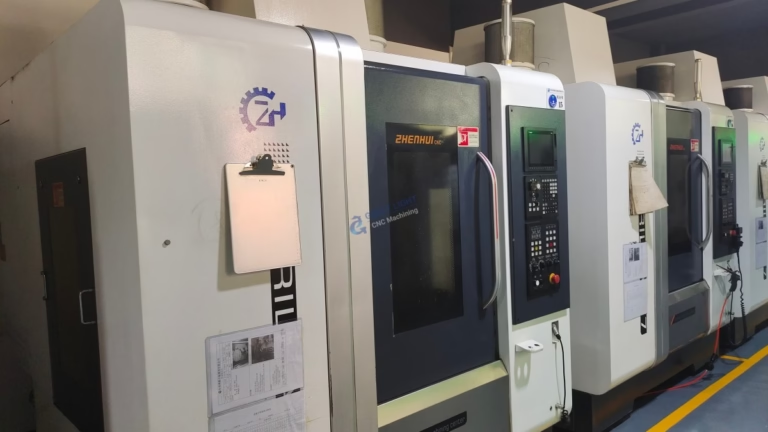
Code 96 Is a Machine-Specific Alarm, Not a Standard Code
G01 means linear feed. M03 means spindle forward. Those are written into standards that every control builder follows. Alarm numbers are not. Code 96 lives in the builder's own alarm table, written for one machine family and one control series. A Haas mill, a Fanuc-driven lathe and a Siemens-controlled machining center can all show 96 and mean three unrelated things.
That is why forum answers rarely transfer. Someone reports 96 as a servo communication loss, someone else reports it as a lube pressure fault, and both are right for their own machine. The number is an index into a table, not a message. You need the table.
The practical result: the first question is never what does 96 mean, it is which control and which builder. Once you know that, the alarm list in the maintenance manual or the ladder documentation gives the answer in under a minute.
A second layer matters too. Many builders reuse numbers across models but shift the text. So check the serial number range as well as the control brand before you trust a forum post from 2014.
- 1Standard codesG-codes and M-codes are defined in ISO 6983 and read the same everywhere.
- 2Alarm numbersDefined by the machine tool builder or the control maker, model by model.
- 3Same number, new meaningA firmware update can move alarm 96 to a different fault.
How a CNC Control Generates a Numbered Alarm
A modern machining center has at least three computing layers. The CNC controller runs the part program, interpolates the toolpath and closes the position loop. The PLC handles everything that is not motion: door interlocks, coolant, lubrication, air pressure, tool changer sequencing, chip conveyor. The servo drives run their own firmware and report back over a fieldbus.
Alarms come from all three. The controller raises its own codes for program errors, overtravel and servo tracking faults. The servo drive raises codes for overload, encoder faults and DC bus problems, and passes them upward. The PLC raises codes from ladder logic, and those are often user-defined by the builder for machine functions.
Code 96 most often sits in the third group. It fires when a ladder rung sees a condition it does not like: a pressure switch that never closed, a proximity sensor that stayed high, a tool changer that did not reach its confirm position within the timeout window.
That is the key engineering point. A PLC alarm is a symptom of a sequence that did not complete. The code tells you which sequence. It rarely tells you which component failed.
- 1ControllerProgram, interpolation, position loop, overtravel.
- 2Servo driveOverload, encoder, bus voltage, thermal.
- 3PLCInterlocks, lube, air, tool change, conveyor, doors.
Tracing the Fault Before You Open the Cabinet
Start with the documentation. The alarm list chapter gives the exact text for your model, and often a list of probable causes in order of likelihood. If the manual only prints the message, the ladder diagram or the PLC printout is the next stop, because a user-defined alarm is written as a coil in the ladder with a comment next to it.
Next, read the machine state at the moment of the alarm. Note which axis was moving, whether the spindle was running, and whether the tool changer was mid-cycle. Write it down. Alarm 96 that appears during a tool change points at a completely different subsystem than one that appears three seconds into a rapid move.
Then check the cheap things. Air pressure at the regulator, lube reservoir level, door switch actuation, coolant level, and any thermal trip on the cabinet. These cost nothing to verify and account for a large share of PLC alarms.
Finally, look at alarm history. Many controls store the last 50 to 200 alarms with timestamps. If 96 shows up once a week at roughly the same time, it is a maintenance item drifting out of range, not an electrical failure. If it appears randomly and often, suspect a loose connector or a sensor losing its target.
- 1Alarm list firstGet the builder's text for your model and firmware.
- 2Log the machine stateAxis, spindle, cycle stage, time since power-on.
- 3Check the cheap itemsAir, lube, doors, coolant, cabinet thermals.
- 4Read alarm historyTimestamps turn a mystery into a trend.
What Code 96 Cannot Tell You
A numbered alarm is a snapshot, not a diagnosis. It records that a condition was false at one scan of the PLC. It does not record why. A pressure switch can read low because the compressor is weak, because a line is cracked, because a solenoid did not shift, or because the switch itself has drifted. The code is identical in all four cases.
This is where technicians and parts changers diverge. Swapping the sensor is fast and sometimes works. Measuring the actual pressure at the switch port takes five more minutes and tells you whether the sensor was ever the problem.
There is also a hard boundary on what we can do as a machining supplier. We cut parts to ±0.005 mm and inspect 100% before shipment, but we do not service your machine. If alarm 96 traces back to a controller or drive failure, the OEM or an authorized service partner owns that work. What we can do is keep the cutting side stable so machine faults are easier to isolate.
One more boundary: never clear an alarm and immediately restart a cycle at full rapid. Find the sequence position, single-block back to it, and confirm the interlock reads correctly before you let the machine run unattended.
- 1A snapshot, not a causeThe PLC records a false condition, not the reason behind it.
- 2Measure, do not swapVerify the physical value at the sensor port.
- 3Know your laneController and drive repair belongs to the OEM or an authorized partner.
Common Sources of a Builder-Defined 96 Alarm
Categories, not exact texts. Confirm against your own alarm list.
| Subsystem | Typical trigger condition | First check | Typical fix |
|---|---|---|---|
| Servo / drive link | Fieldbus or encoder feedback lost | Drive LED and bus cable seating | Reseat cable, replace encoder if noisy |
| Lubrication | Lube pressure not confirmed in window | Reservoir level and pump cycle | Refill, clear line, replace pump |
| Pneumatics | Air pressure below setpoint at cycle | Regulator gauge, filter bowl | Fix leak, drain filter, service compressor |
| Tool changer | Arm or magazine position not confirmed | Proximity sensor gap and LED | Reset gap, replace sensor, clear chips |
| Door / guard interlock | Safety circuit opened mid-cycle | Switch actuation and wiring | Adjust striker, replace switch |
| Thermal | Cabinet or spindle temperature trip | Filter mats, fan operation, ambient | Clean filters, replace fan, cool area |
| Ladder timeout | Sequence step not reached in time | Alarm history timestamps | Fix root cause, then re-tune timer |
The Short Version
If the alarm list names a subsystem, fix that subsystem. If the manual prints only a number and no text, stop guessing and get the ladder documentation or call the OEM, because every hour spent swapping parts costs more than the service call.
Questions We Get About CNC Alarms
Is code 96 the same on every CNC machine?
No. G-codes and M-codes are standardized, but alarm numbers belong to the machine tool builder or the control manufacturer. Two machines with the same control brand can still assign 96 to different faults if the machine builder wrote different ladder logic.
Always match the alarm against the manual for your exact model and firmware version. If the manual is missing, the builder's service department can usually supply the alarm list from the machine serial number.
Where do I find the alarm list for my machine?
It is normally in the maintenance or troubleshooting chapter of the machine manual, sometimes as a separate alarm and error code booklet. Fanuc, Siemens, Mitsubishi and Heidenhain controls also publish their own alarm manuals for the control-side codes.
If the code is a PLC alarm from the machine builder, the ladder printout usually carries a comment line next to the alarm coil. That comment is often more specific than the manual.
Can a bad encoder cause an alarm like this?
Yes. A degrading encoder can produce intermittent feedback that trips a drive fault, which the control then reports as its own numbered alarm. The signature is a code that appears occasionally, often during acceleration or at a specific axis position.
Check whether the alarm follows the axis or follows the drive. Swapping drives between axes on a dual-drive machine is a fast way to separate the two, but only do it if the builder permits it and you have the parameters backed up.
Why does the alarm only appear at certain spindle speeds?
Speed-dependent alarms usually point at vibration, thermal growth or a cable that only loses contact at a particular resonance. Spindle encoder belts, drawbar sensors and cable routing near the spindle head are common culprits.
Run a spindle warm-up program and record the speed at which the alarm appears. A repeatable speed is much easier to diagnose than a random one.
Does restarting the machine clear it permanently?
A power cycle clears the latched alarm but does not remove the cause. If the underlying condition has passed, the machine may run for hours or days before it returns.
Treat a returning alarm as a trend. Log the time, the cycle stage and the operating hours. Three data points usually point at one component.
What information helps a service engineer the most?
The machine model, control model and firmware version, the exact alarm text, the cycle stage when it fired, and the alarm history with timestamps. A short phone video of the machine at the moment of the fault is often worth more than a paragraph of description.
Have the electrical schematics and ladder documentation on hand before the call. It cuts diagnosis time noticeably.
Need Machined Parts While the Machine Is Down
Send your drawings and we will return a quotation with a free DFM analysis within 12 hours, so a machine fault does not stop your build.
12-hour quote100% inspection±0.005 mm
More From the Shop Floor
We publish setup notes, tooling trials and inspection data from the factory floor.











