
7 Easy CNC Techniques to Slash Setup Time and Boost Efficiency
This guide is written for manufacturing engineers and sourcing teams who quote and release machined parts. It covers seven shop-floor techniques that shorten changeover, the part types each one suits, and the cases where it is not worth the effort.
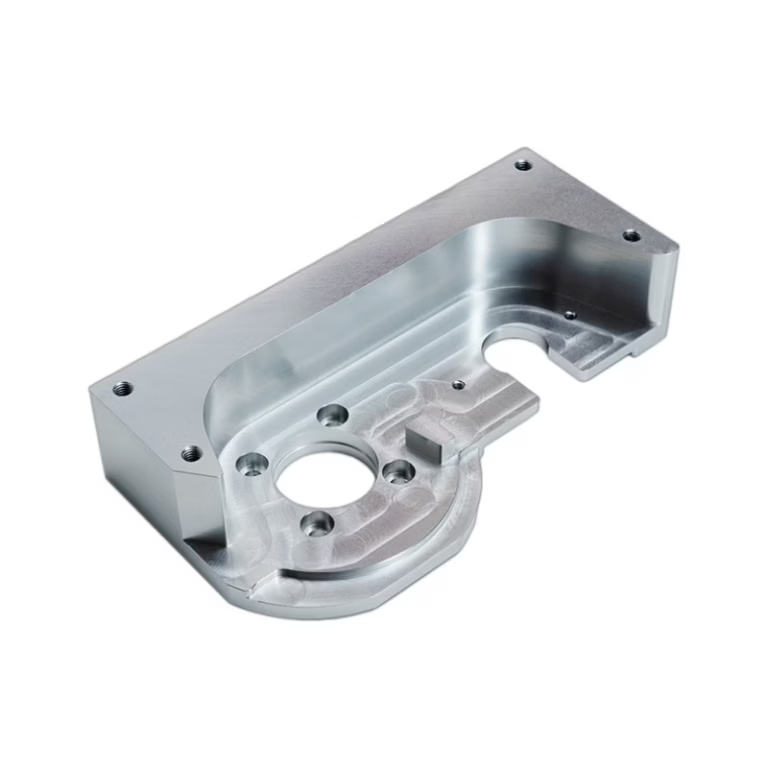
Changeover is machine time you already paid for
Every hour of changeover is an hour the spindle is not cutting.
Standardize workholding before you optimize anything else
The largest single source of changeover time is workholding. When a shop keeps a mix of vises, strap clamps and one-off fixtures, every new part number starts from a blank page. The operator measures, dials in, shims and re-checks. None of that touches the part.
A modular base solves most of it. Bolt a grid plate or a receiver plate to the table once, indicate it once, and leave it. Every job after that locates against known surfaces. For prismatic parts under roughly 400 mm, two self-centering vises on a common rail often cover the whole family.
Where it does not pay: one-off weldments with no repeat geometry, or castings with as-cast surfaces that vary more than a few millimeters. Those still need a dedicated fixture and a dial indicator. Standardizing a process you only run once adds cost for no return.
- 1Grid platesOne-time indication, repeatable hole pattern for clamps and stops.
- 2Self-centering visesGood for prismatic parts; jaw change takes minutes, not hours.
- 3Soft jawsMachined to the part profile; holds thin walls without crushing.
Move tool presetting and clamping off the spindle
Tool assembly should never happen while the spindle is idle. Measure length and diameter on a presetter, load the offsets into the control over the network, and stage the finished assemblies on a cart in job order. The operator then loads tools in sequence instead of hunting for them.
A tool presetter also catches setup errors before the first cut. A wrong offset found at the machine costs one scrap part and a re-indication. The same error found at the bench costs a few seconds.
Zero-point clamping takes the same idea further. A receiver plate with pneumatic or hydraulic clamps lets a pallet be loaded outside the machine and locked in seconds. Position repeats, so the work offset is stored once and reused. The trade-off is the plate itself: it costs money, consumes Z travel, and only makes sense if you change parts often enough to amortize it.
For high-mix, low-volume work, the combination of offline tool presetting and zero-point pallets is usually the largest single gain available. For a shop running one part number for weeks, neither pays back.
- 1PresetterMeasure and label tools away from the machine.
- 2Tool cartStage assemblies in the order the program calls them.
- 3Zero-point plateLoad and lock pallets in seconds; repeat position.
- 4Z travelBudget the plate height into your reach before buying.
Design the setup into the CAM program
Most programmers think about the cut, not the load. That is backwards for changeover. Decide the workholding, the datum and the order of operations before you write a single toolpath. If the part needs two setups, plan the second one so the first setup's geometry still locates it.
Build a template. A standard start block with safe Z, coolant, work offset and tool table call saves minutes on every job and removes a class of crashes. Name operations the way the operator reads them, not the way the software defaults to.
Post the setup sheet with the program. A one-page sheet with a photo of the loaded part, the datum, the tool list and the torque values pays for itself the first time someone else runs the job.
Do not over-automate a job you will run twice. Template libraries cost programming hours, and those hours only come back on repeat work.
- 1Datum firstChoose the locating surface before the first toolpath.
- 2Standard start blockOne safe start for every program, no exceptions.
- 3Setup sheetPhoto, datum, tool list, torque values on one page.
Let the machine measure, and write down what worked
In-machine probing removes the dial indicator from the changeover. A spindle probe finds the stock position, sets the work offset, and checks a critical feature before the first finishing pass. On a horizontal or a 5-axis machine, it can also verify the rotary position after a pallet change.
Probing is not free. It adds cycle time, needs a clean surface and a calibrated stylus, and it will not fix a fixture that moves. Use it where the stock position varies, like castings or flame-cut plate. On sawn bar with a known face, a hard stop is faster.
Documentation is the cheapest technique on this list and the one most often skipped. Keep a library of setup sheets, fixture photos and tool lists, keyed to the part number. New operators then load a known-good job instead of reconstructing it.
Write the notes in the same shift the job runs. Recollections a week later lose the detail that mattered. Store the sheet with the program so it cannot be separated from the job.
- 1Probe for stockGood for castings and plate with variable surfaces.
- 2Hard stopsFaster on sawn bar with a known face.
- 3Setup libraryScreenshots, photos and tool lists saved with the program.
Which technique fits which production pattern
Rough guide only; the right answer depends on your part mix and batch size.
| Technique | Best fit | Weak fit |
|---|---|---|
| Modular workholding | Prismatic parts, repeat families | One-off weldments, as-cast surfaces |
| Offline tool presetting | Any job with 6 or more tools | Single-tool drilling operations |
| Zero-point clamping | High-mix, low-volume pallet work | Long runs on one part number |
| CAM templates | Shops with repeat part families | Two-off prototype work |
| In-machine probing | Castings, plate, first-article checks | Sawn bar with a known face |
| Setup documentation | Any shop with more than one operator | Single-operator job shop |
Arrange cells and batch sequence around the changeover
Layout decides how far an operator walks and how long a crane takes. Group machines that share a fixture family or a pallet system. Keep the presetter, the tool cart and the inspection bench inside the cell instead of across the aisle.
Batch sequencing matters as much as layout. Run parts that share a work offset and a tool set back to back, then change the fixture once. Sorting the queue by fixture family rather than by due date can cut several changeovers per week.
Sequence also affects quality. First-off inspection after every changeover is where defects get caught. Fewer changeovers means fewer first-off checks, and the ones you do run get more attention.
None of this requires a new building. Moving two machines and re-sorting the schedule often gives more than a new fixture.
- 1Cell groupingMachines, presetter and bench in one walking radius.
- 2Family batchingQueue by fixture family, then by due date.
- 3First-off checksFewer changeovers, more attention per check.
Questions engineers ask about changeover
How much changeover time can these techniques actually remove?
There is no universal number. The gain depends on how many setups you run per week, how much of the current time is measurement and tool assembly, and whether your parts repeat.
Shops that move from mixed workholding to a modular system often see the largest gain on prismatic parts. Shops running one part number for weeks see almost nothing, because the setup is already amortized.
Does zero-point clamping reduce accuracy?
A clean, maintained receiver plate repeats position well enough for most prismatic work, and the work offset is stored once.
Problems come from chips on the locating faces, worn clamps and plates that are not indicated when installed. Treat the plate as a precision surface: cover it, clean it, and re-check it on a schedule.
Is offline tool presetting worth it for short runs?
Yes, if the job uses six or more tools or if the same tool set repeats. Measuring at the bench while the machine cuts the previous job removes the assembly step from the critical path.
For a two-tool drilling job, the walk to the presetter costs more than the measurement saves. Keep it simple.
Should we probe every job?
No. Probe where the stock position varies, such as castings, flame-cut plate or stacked blanks.
On sawn bar with a machined face, a hard stop and a stored offset are faster. Probing also adds cycle time and needs a clean surface to touch.
How do we get operators to use the setup sheets?
Make the sheet part of the job release, not an optional extra. Store it with the program and the fixture, and keep it to one page with a photo.
Update it the same shift the job runs. A sheet that is out of date is worse than no sheet, because it sends the next operator down the wrong path.
Can these techniques be applied to a single prototype?
Some of them. CAM templates, a standard start block and a written setup sheet cost almost nothing per job and help on the second setup.
Modular fixtures and zero-point plates are capital purchases. For a one-off prototype, a vise and a dial indicator are usually the right call.
Send us your part and we will quote the setup with it
Upload a 3D file and get a quotation plus free DFM analysis within 12 hours. No minimum order quantity, from one prototype to 10,000+ part runs.
12-hour quote100% inspection±0.005 mm toleranceNDA on request









